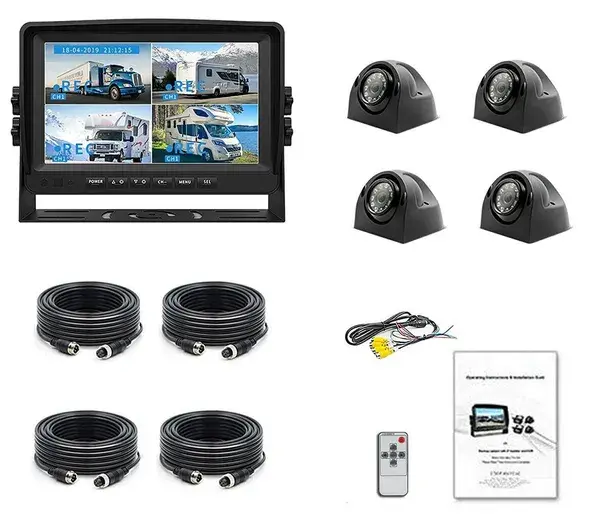
Display package
Live camera selection for the driver
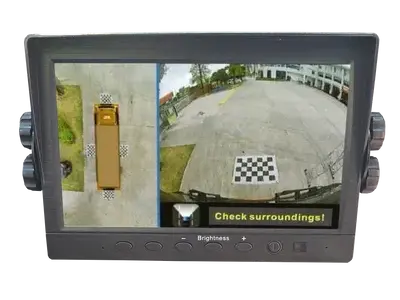
A secure display can present reverse, side, cargo, or manually selected views around the working vehicle.

Cargo camera systems
OcLUM builds cargo-van camera packages around body shape, doors, blind areas, driver visibility, recording needs, and the way the vehicle is actually used.
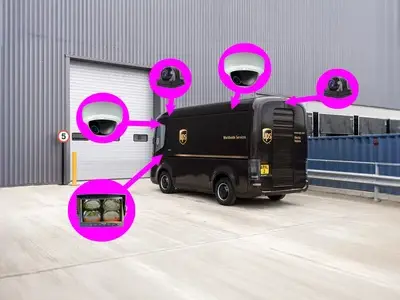
The package can combine road, rear, side, loading, and cargo-area views without treating every van like the same vehicle.
Cargo system options
The driver may need immediate visibility while fleet staff need retained video for damage, loading, service, or incident review.
Display package
A secure display can present reverse, side, cargo, or manually selected views around the working vehicle.
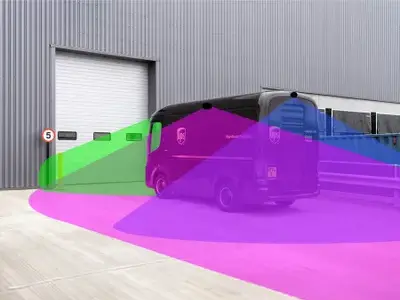
Vehicle fit
Camera locations and cable paths are selected for the actual cargo body and service requirements.
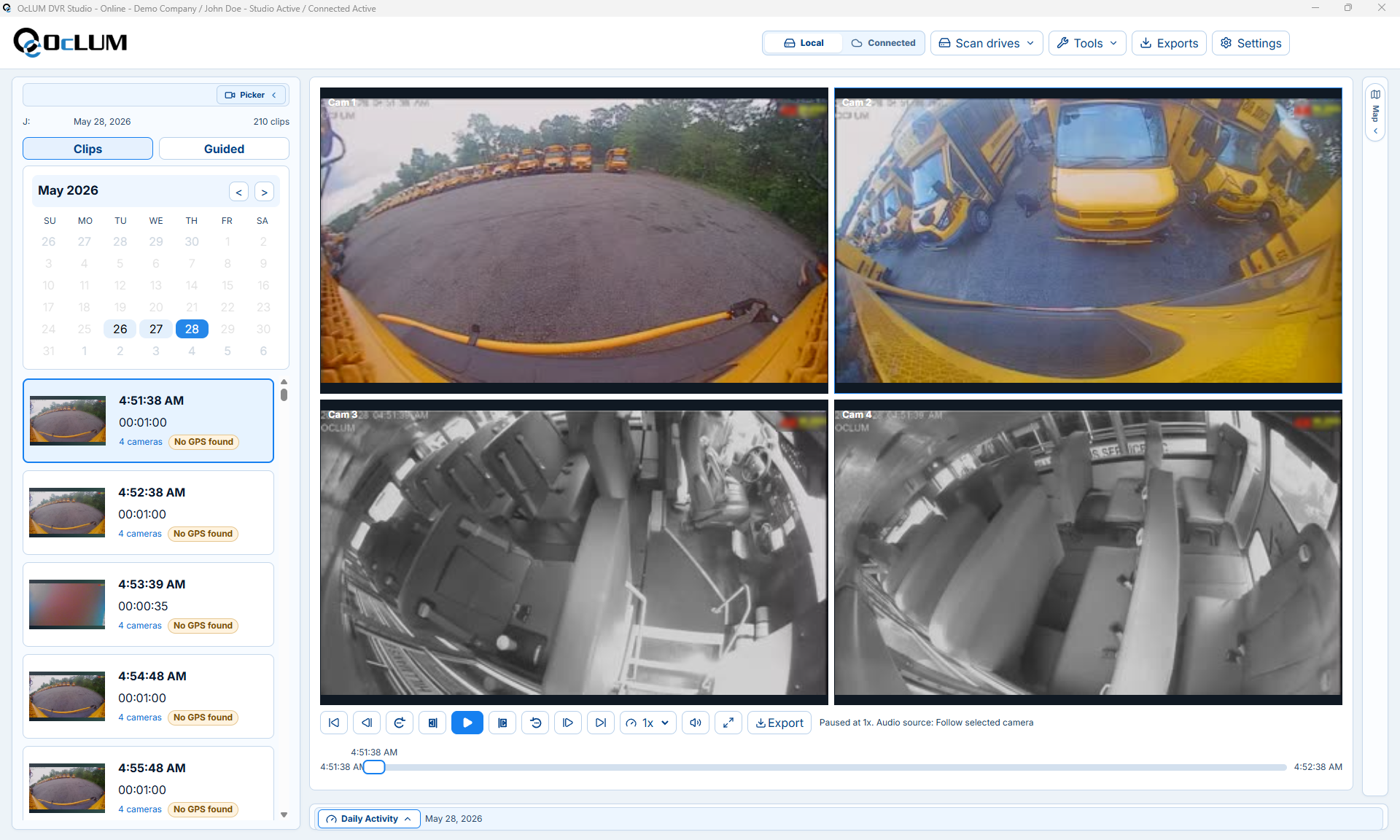
Recorded workflow
Compatible recording can preserve individual views for damage review, incident follow-up, or fleet documentation.
Driver controls
Display behavior can follow reverse or turn inputs, or provide a selected camera view when the driver requests it.
System planning
OcLUM starts with the actual vehicle and operating goal, then confirms camera placement, switching behavior, recording, cable routing, and review access before installation.
Identify passenger, doorway, road, rear, side, cargo, or close-range areas the driver or reviewer needs to see.
Plan automatic switching, push-button selection, split-screen viewing, or a dedicated reverse view.
Confirm the channel count, storage, event retention, playback, and export workflow.
Mount and route the system for service access, then verify every camera view and trigger on the completed vehicle.
Platform capabilities
Final specifications depend on the selected cameras, display, recorder, vehicle body, and operating requirements.
Plan the system
Send OcLUM the vehicle type and required views. We can plan cameras, display behavior, recording, installation access, and review workflow.