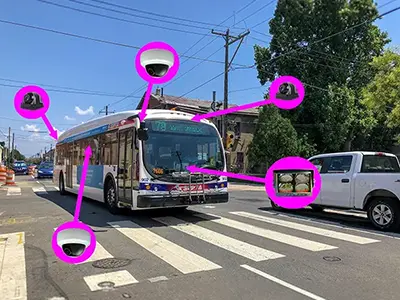
Camera placement
Inside and outside views around the vehicle
Camera positions can cover passenger activity, loading areas, roadway context, sides, and reversing zones.

Recording quad display
The OcLUM Recording Quad Display combines interior and exterior camera options with a driver display and multi-channel recording for transit and other large vehicles.
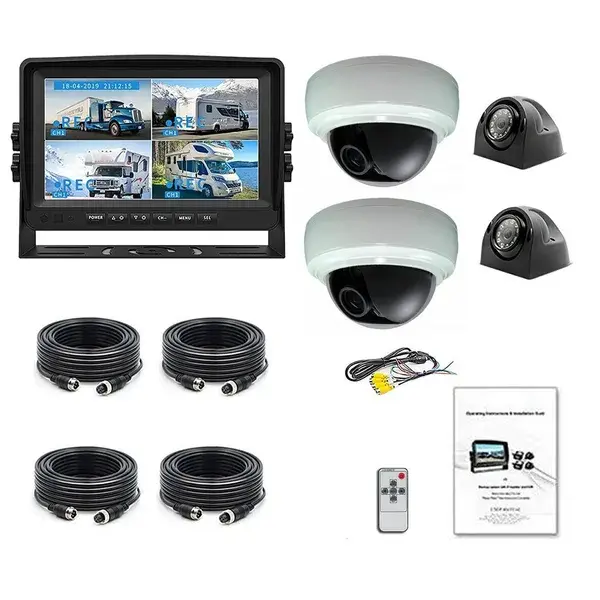
The system is planned as one installation so live driver views and recorded camera evidence follow the same vehicle layout.
Four-view workflow
The driver can select or trigger useful live views while compatible recording retains the individual camera feeds for later review.
Camera placement
Camera positions can cover passenger activity, loading areas, roadway context, sides, and reversing zones.
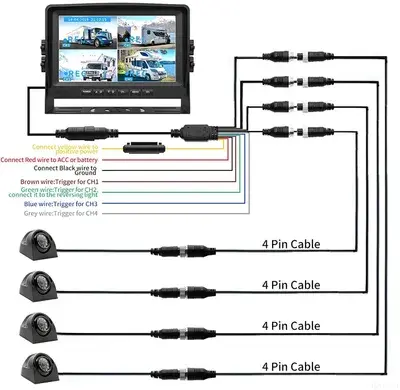
Installation hardware
Mounting, power, cable routing, switching inputs, and service access are confirmed before installation.
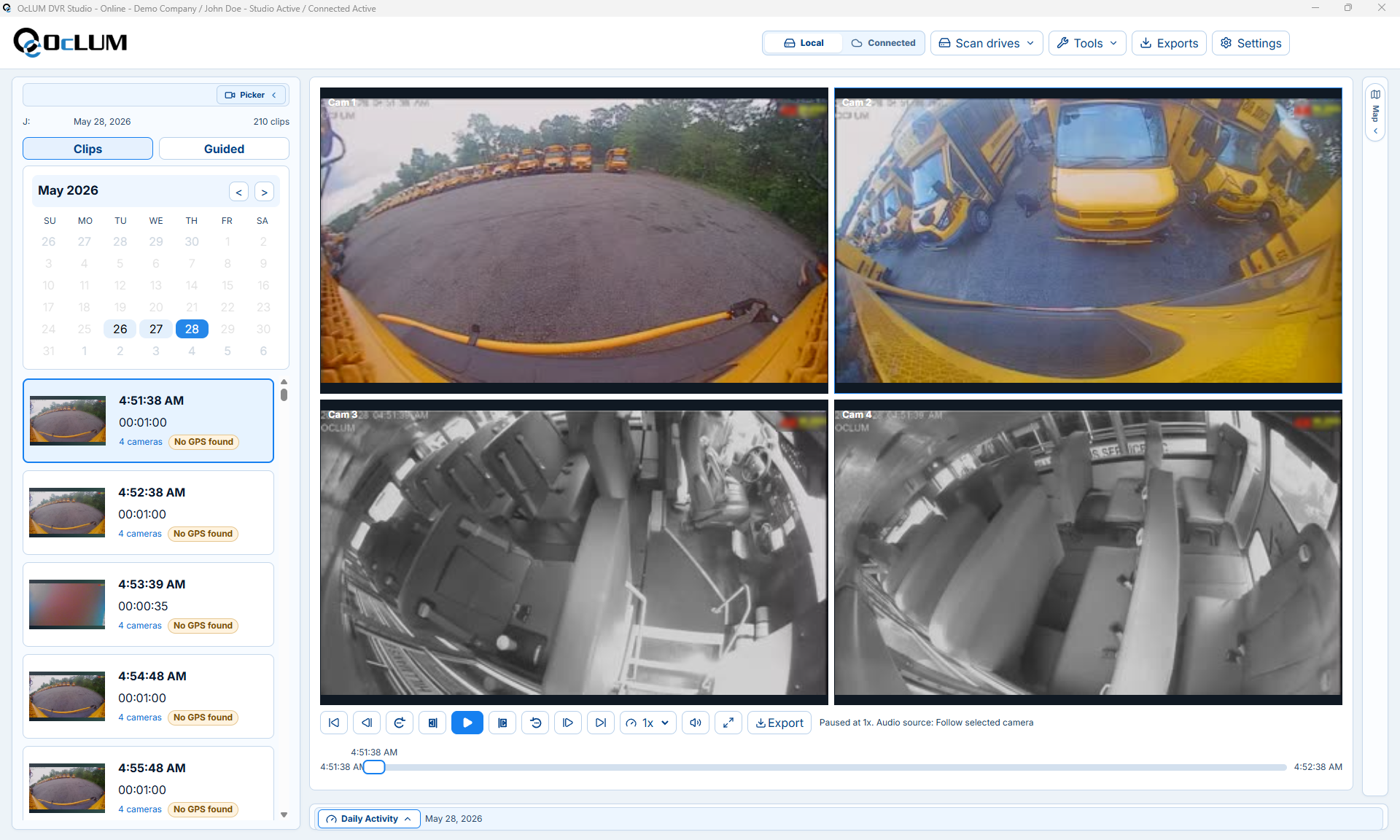
Four-channel review
Supported recordings can be reviewed, exported, and retained for incident, service, or insurance follow-up.
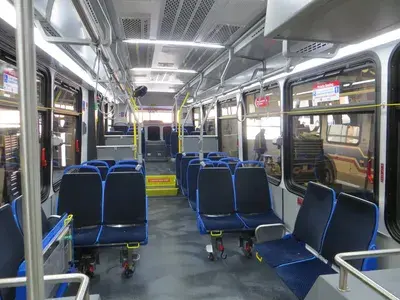
Passenger visibility
Passenger and loading-area cameras can be included alongside road, side, and rear views when the vehicle requires both.
System planning
OcLUM starts with the actual vehicle and operating goal, then confirms camera placement, switching behavior, recording, cable routing, and review access before installation.
Identify passenger, doorway, road, rear, side, cargo, or close-range areas the driver or reviewer needs to see.
Plan automatic switching, push-button selection, split-screen viewing, or a dedicated reverse view.
Confirm the channel count, storage, event retention, playback, and export workflow.
Mount and route the system for service access, then verify every camera view and trigger on the completed vehicle.
Platform capabilities
Final specifications depend on the selected cameras, display, recorder, vehicle body, and operating requirements.
Plan the system
Send OcLUM the vehicle type and required views. We can plan cameras, display behavior, recording, installation access, and review workflow.